
Blog · 11 November 2026
Already use ChatGPT? What changes when it's set up properly
Most owners use ChatGPT in one browser tab that knows nothing about their business. Here is what changes when it is connected and set up properly.
By Andrei Satcau · Melbourne

When we get in touch with businesses about AI, the most common reply is some version of "we already use ChatGPT". Some add that they're already set up and happy. Fair enough. Most owners we meet have tried it.
Here's what we usually find. Most business owners we meet use ChatGPT or Claude in one browser tab: a blank chat that knows nothing about their business. Set up properly, it's connected to your email, calendar, files and booking system, with all your business information in one place, so enquiry replies, appointment reminders, client FAQs and follow-ups take minutes. That gap, between a blank tab and a set-up assistant, is what this post is about.
The blank-tab problem
A blank chat is clever, but it starts from zero every time.
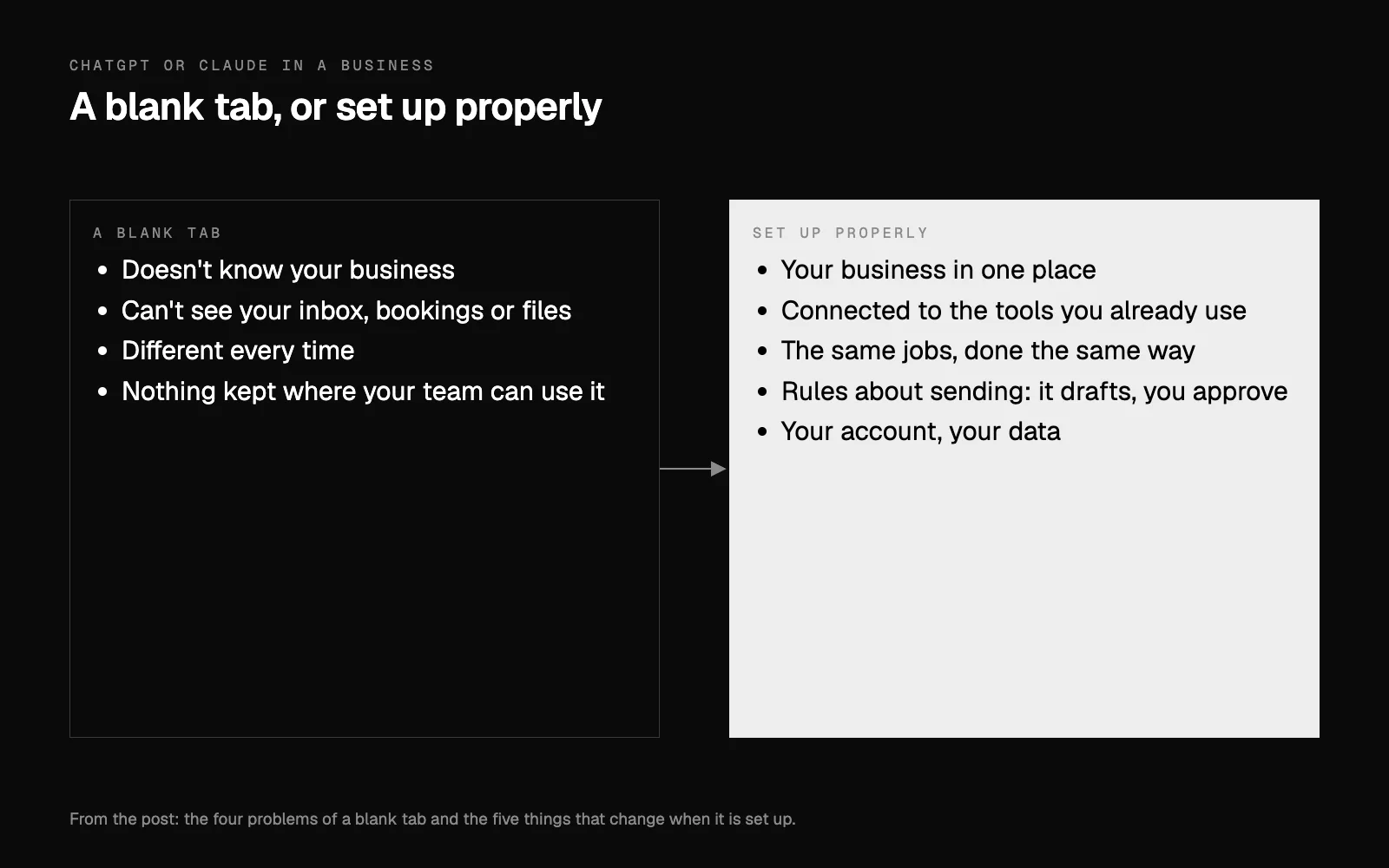
- It doesn't know your business. Your services, your policies, your opening hours, the way you talk to clients: you explain them again, or you get a generic answer.
- It can't see anything. Not your inbox, not tomorrow's bookings, not the file with your price list. So you copy and paste, in and out.
- It's different every time. Ask the same thing twice and you get two different answers, in two different tones.
- Nothing is kept where your team can use it. The good answer you got on Tuesday lives in your chat history, not in the business.
None of that makes it useless. It makes it a smart stranger, when what you want is an assistant who has worked with you for a year.
What "set up properly" actually means
When we set it up for a business, five things change.
- Your business in one place. Services, policies, FAQs, how you like things said, what never to say. Written down once, kept current, and read by every chat, so the assistant starts each conversation already knowing who you are.
- Connected to the tools you already use. Your email, calendar and files, and your booking system where it allows a connection. Claude, for example, connects to Gmail, Google Calendar and Google Drive (Claude's Google Workspace connectors). Microsoft 365 can be connected too, though a work account usually needs the account administrator to approve it once. Booking systems differ a lot; we cover which ones connect in your booking system and AI.
- The same jobs, done the same way. The tasks you repeat every week become routines it runs on request: the enquiry reply, the reminder, the rebooking message, the answer to the question clients always ask.
- Rules about sending. It drafts and you approve. Nothing goes to a client until you say so, and you can see what it did.
- Your account, your data. It runs on your own account, the connections reach only what the job needs, and your client details stay yours (how we handle your data).
What it looks like in different businesses
The jobs change with the business. For example:
- Salons: rebooking reminders, client colour notes and social posts.
- Clinics: appointment reminders, recall messages, patient FAQs and enquiry replies. Admin only: it never gives clinical advice.
- Studios: class questions, waitlist messages, membership renewals and new-client enquiries.
- Cleaning and other service businesses: quote requests, booking confirmations, rosters and customer follow-ups.
- Real estate: appraisal follow-ups, buyer and tenant enquiries, listing copy and vendor updates.
In each case the assistant isn't doing anything magical. It's doing the same small jobs you already do, with your information, in your voice, without you having to start from a blank box.
"We're already set up": a five-question check
If you're happy with your setup, good. Here's a quick way to see how far it goes:
- Does it know your services and policies without being told each time?
- Can it read your inbox and see tomorrow's bookings?
- Does it write in your voice, the same way every time?
- Does it ask before it sends anything to a client?
- If you're away for a week, can someone on your team use it the same way you do?
Five yeses and you're well set up. Keep going. If a few are no, those are the gaps worth closing.
If you'd rather set it up yourself
You can. Four habits make most of the difference:
- Write the business down first. A short document each for your services, your policies, the questions clients ask and the way you like to answer. Keep it current when anything changes.
- Connect one tool at a time. Email first, say, and test it on real messages before it drafts anything a client will see.
- Keep a person on every send until you trust it, and keep doing spot checks after that.
- Mind what goes in. Don't paste client details into a chat you haven't set up for it. If you run a health service, the Privacy Act covers you whatever the size of your business (the OAIC's privacy guidance for small business), so client health details need particular care.
What stays the same
You don't need a new app. The setup works with ChatGPT or Claude, whichever you already pay for, and with your existing email, calendar and booking system. The goal is fewer things to learn, not more. You also keep control: you can change what it knows, see what it did, and switch any connection off yourself.
If enquiries are what eat your week, following up every lead without a sales team shows the next step.
Where to start
Start by writing down the five questions clients ask you most and how you answer them. That one page will help any AI assistant more than a clever prompt.
If you'd like a hand with the rest, your free AI plan takes eight quick questions, and a written plan reaches your inbox the same business day, checked by a person first. Or book a 15-minute call and we'll look at your setup together.
Researched and drafted with AI, and approved by Andrei.
Questions people ask
Do I have to stop using ChatGPT?
No. ChatGPT and Claude can both be set up this way. The change is in what it knows, what it's connected to and the jobs you give it, not which app you open.
Is it safe to connect my email and calendar?
It can be, if it's your own account, the connection only reaches what the job needs, and nothing goes to a client without your OK. Ask where your data is kept and who can see it before you connect anything.
How long does it take to set up?
The connections themselves are quick. Most of the time goes into writing down your business properly: services, policies, the questions clients ask and how you like to answer them.