
Blog · 11 November 2026
Your booking system and AI: what connects, what doesn't
Cliniko, Fresha, Timely: which booking systems let AI read the diary and book, which only export, and what to check before you buy an AI tool.
By Andrei Satcau · Melbourne

The booking system comes up in almost every conversation we have with clinic and salon owners, and for good reason. The diary is where the business actually lives: who is coming in today, who cancelled, who is overdue for a follow-up, who has never been back. Before any AI tool can take work off your plate, it has to be able to see that diary.
Booking systems are not equal at this. Some open the door, some hand you the data through a window, and some keep it shut. Knowing which one you have saves you from buying a tool that can't do what the sales page promised.
Three ways a booking system can work with AI
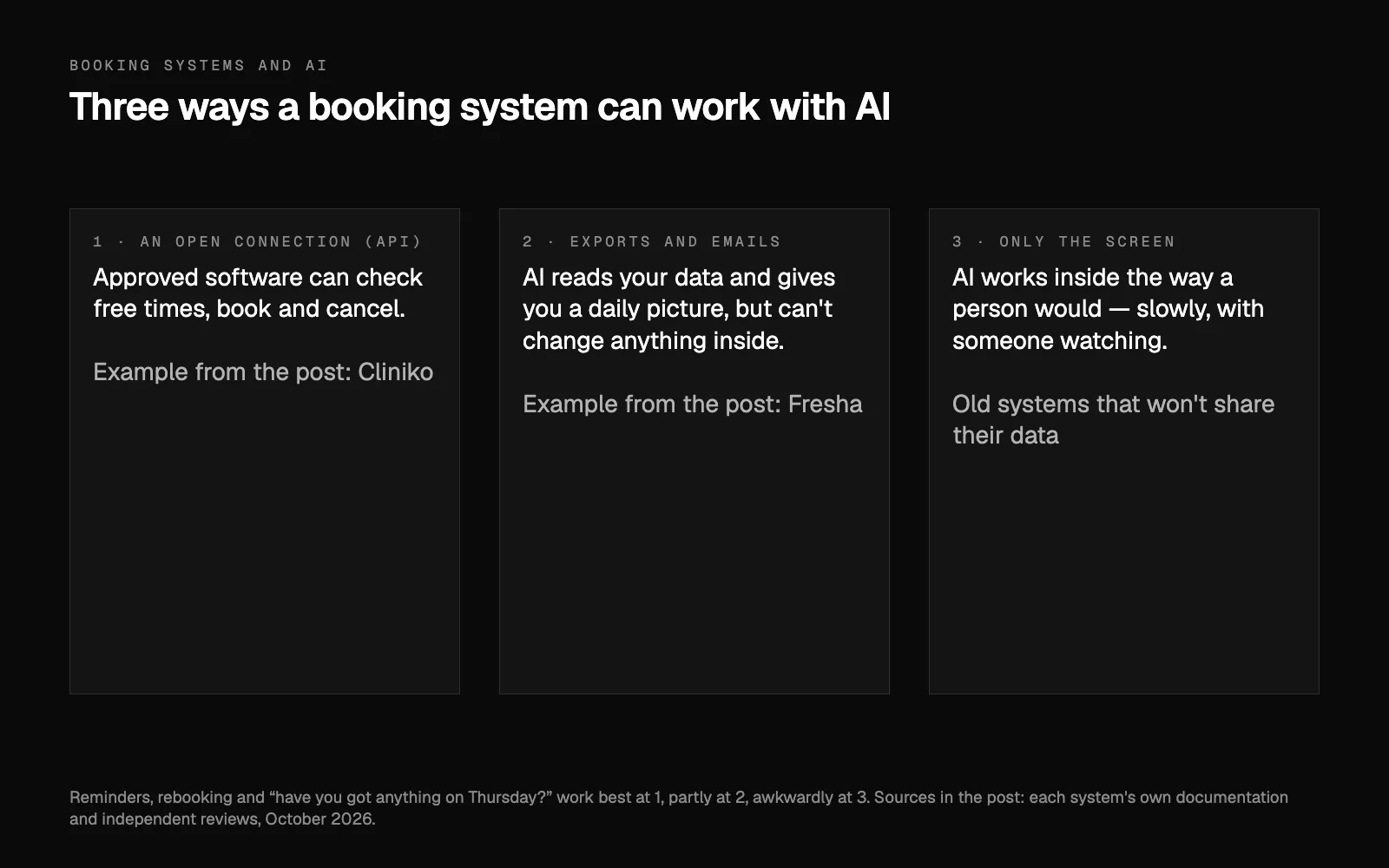
It helps to think in three levels.
- An open connection (an API). The system lets approved software read and change the diary: check free times, make a booking, cancel one. At this level an AI assistant can genuinely book people in, with your rules and your approval.
- Exports and emails. The system won't let outside software in, but it gives you your data: spreadsheets of clients and appointments, a reporting feed, an email for every booking or cancellation. An AI can read all of that and give you a clear daily picture, but it can't change anything inside the system.
- Only the screen. Nothing comes out except what you see when you log in. An AI can still work inside the system the way a person would, clicking through the calendar in a browser, but slowly and with someone keeping an eye on it.
Most of what owners want from AI, such as reminders, rebooking messages and answering "have you got anything on Thursday?", works best at the first level, partly at the second, and awkwardly at the third.
Cliniko: an open connection
Cliniko, a practice system built for allied health and medical clinics, has a documented open API (Cliniko's API documentation). Approved software can look up available times and make or cancel appointments. Cliniko also keeps a list of AI tools that already connect to it, including phone receptionists (Cliniko's AI apps). New Australian accounts have their data stored in Australia (Cliniko security), which matters when you are holding patient details.
Two things are worth knowing before you plan around it. First, the documentation describes no webhooks, so a connected tool checks the diary on a schedule rather than being told the instant something changes. That is fine for reminders and morning summaries. It matters if you want an immediate reaction to every cancellation.
Second, patients can cancel their own appointments online if you switch that on, but they can't reschedule them themselves (Cliniko help on rescheduling). That is exactly the kind of gap an assistant fills well: the patient asks to move, the assistant finds a free time, and a person on your team confirms it.
Fresha: exports and emails, not a connection
Fresha is a booking system built for salons, barbers and beauty businesses. It does not offer outside software a way in. There is no public or partner API and no webhooks, and independent reviews confirmed that again in October 2026 (Supergood's Fresha report, Carly on the Fresha API). If you find something online calling itself a Fresha API, it is either a scraper or a hope.
What Fresha does give you is the second level: exports of your clients, appointments and sales, a read-only reporting feed it calls the Data Connector, a one-way calendar sync that shows times but not client details, and an email for every booking, change and cancellation. Put together, that is enough for an AI to give you a complete morning picture of who is in, who cancelled and who hasn't rebooked, and to draft the messages for you to approve.
What it can't do is book or move an appointment inside Fresha on its own. For that, it sends the client your Fresha booking link, or works inside Fresha in a browser while someone watches. We would rather tell you that up front than promise a live connection that doesn't exist.
Timely: a door that's mostly closed
Timely, a salon and spa booking system, does have an API on paid plans. It is unlocked with a single account-wide key and has no public documentation (Supergood's Timely report). In practice a connection is possible, but it is fiddly to build and hard to keep tidy, so it is not something to build a daily routine on without testing it first.
Old and clunky systems
Some practice systems are simply old, the kind owners describe as clunky. There the honest answer is that AI won't fix a system that won't share. You either work around it, with exports, booking emails or the screen, or you move.
Should you switch to get better AI?
Only if the booking system is genuinely what's holding you back. Moving takes time: clients, services and future bookings have to come across, your team has to learn a new screen, and the booking links on your website, Google profile and Instagram all have to change. Some systems help with the move. Cliniko offers a managed transfer from a list of other systems, Timely among them, but its own import tools can't bring across appointments, treatment notes or invoices (Cliniko help on importing). Help with the data is not the same as help with your team's time.
Before you decide, answer three questions:
- What do you want AI to do? Reminders and reports work with exports and emails. Booking and moving appointments need an open connection.
- Where does your system sit? Open connection, exports only, or the screen.
- Is the problem the system, or the work around it? Often the system is fine, and the hours go into the calls, the messages and the chasing.
Where to start
Start with what your system can already share. On Cliniko, a lot is possible today. On Fresha, start with the exports and booking emails, and let AI handle everything around the booking: replies to enquiries, reminders, rebooking messages and the follow-up when someone cancels, while the booking itself happens through your Fresha link.
Whatever connects, your data stays yours and nothing goes to a client without your OK (how we handle your data). If you're not sure where your system sits, that's one of the first things your free AI plan works out, along with what is worth automating first. Rather talk it through? Book a 15-minute call. And if missed calls are the bigger worry, read what an AI receptionist actually does.
Researched and drafted with AI, and approved by Andrei.
Questions people ask
Can AI book appointments straight into Fresha?
Not directly. Fresha has no public API and no webhooks (checked October 2026), so outside software can't write bookings into it. AI can still read its exports and booking emails, and send people your Fresha booking link.
Can AI book into Cliniko?
Yes. Cliniko has a documented open API, so approved software can look up free times and make or cancel appointments. Patients themselves can't reschedule online in Cliniko, which is a gap an assistant can fill with a person confirming.
Should I switch booking systems to use AI?
Only if the system itself is what's holding you back. Moving takes your team's time as well as the data. Start with what your current system can share, and switch only when a connection you need is missing.