
Blog · 16 November 2026
Claude for business: Meetings, your books and your email
Claude for business, set up properly: the new Meetings beta, Xero or MYOB for the books, Gmail or Outlook for email, and what to leave switched off.
By Andrei Satcau · Melbourne

Setting up Claude for business got more useful last week. On 12 November Anthropic started rolling out Claude Meetings, which joins your Google Meet calls and writes the notes. Two days earlier it launched Sheets, a spreadsheet Claude builds and edits with you, and Whiteboards, a shared board for brainstorming, in beta on all paid plans.
For a small business, we think the bigger story is the connections that already work: your books and your email. Here is what each one needs, what it can and can't do, and the order we would set them up in.
Claude Meetings: notes from your Google Meet calls
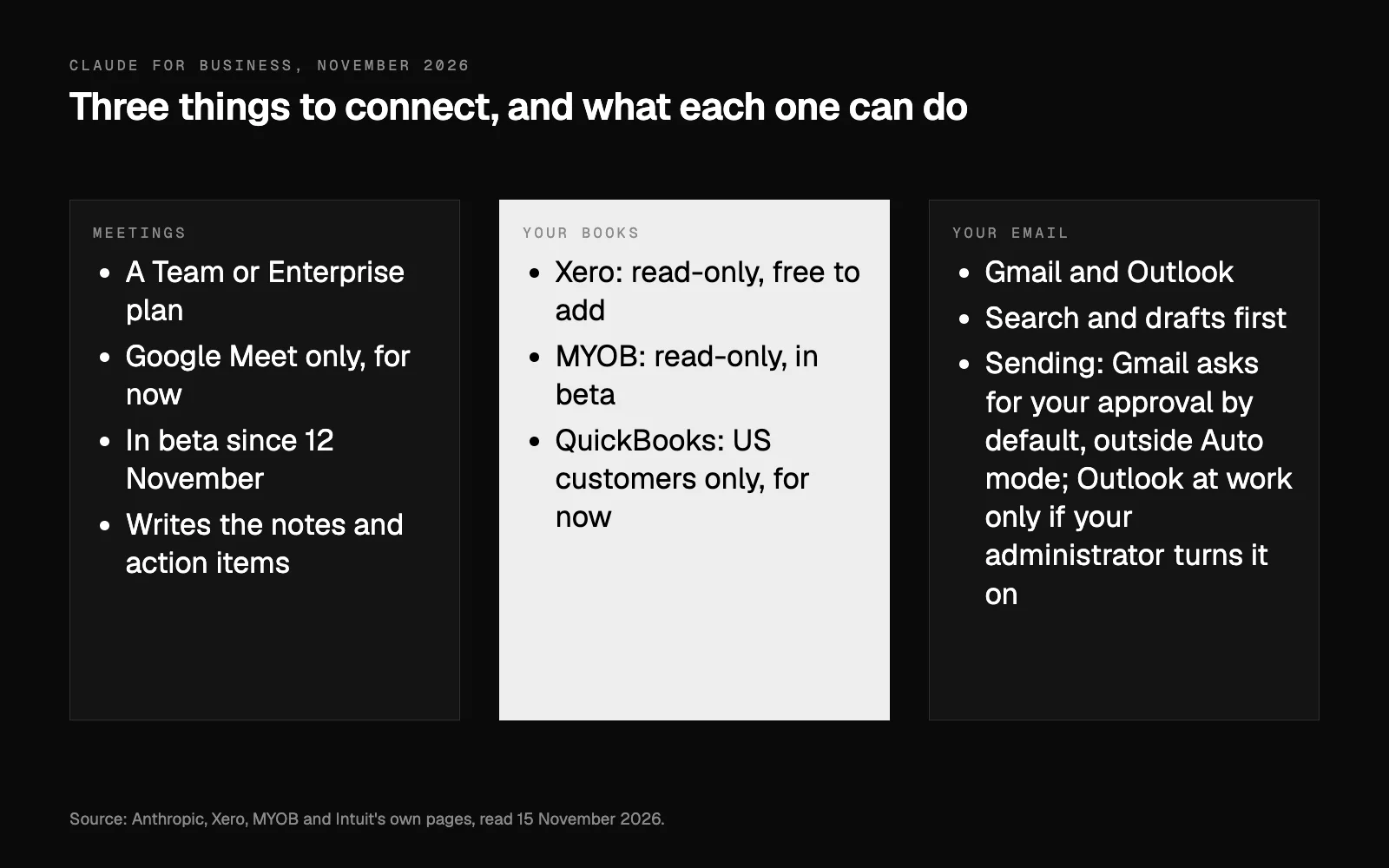
What happened. Anthropic's Claude Meetings is in beta. Claude joins a video call as a visible participant, writes the notes and action items, answers questions in writing by default, and can start a doc or a whiteboard while the team keeps talking. It is rolling out on Team and Enterprise plans, and for now it works with Google Meet only; Anthropic says other platforms are coming soon. When Claude joins, it posts a notice in the call's chat, and it keeps a transcript, a summary and descriptions of the screen, not the audio.
What it means for you. If your team meets on Google Meet, writing up the meeting can become Claude's job, with the action items in one place afterwards. You need a Team or Enterprise plan, and a Team plan needs at least two members. Anthropic's help page says that while it's in beta, it isn't available to some organisations, including those with zero data retention, a HIPAA-ready configuration or customer-managed encryption keys. If you meet on Zoom or Microsoft Teams, it isn't for you yet.
What to do this week. Check one setting first: calls with people from outside your business. Anthropic's announcement says Claude stays out of those calls by default, but its help page says that on Team plans Claude can join them by default, and an owner can turn this off (under Organisation settings, Products, Claude Meetings). Look at the setting yourself before a client joins a call, and tell people before Claude joins. Anthropic's own advice is to make sure everyone on the call is okay with being transcribed. To try it, open Meetings in Claude and connect your Google Calendar. An owner switches Google Calendar on for the organisation first, and on an Enterprise plan an owner has to turn Claude Meetings on as well. Then pick a meeting and choose "Add Claude". We would not turn on auto-join until you have tried it on a few internal calls.
Your books: Xero and MYOB, read-only
What happened. Xero's connector has been in Claude's directory since April. Xero says it is free to add: you need an active Xero subscription and a Claude account, free or paid. You ask about profit, cash, invoices and customers, and Claude links back to the Xero report, invoice or contact it used. It is read-only: Claude can't create, edit, approve, reconcile or pay in Xero.
MYOB's connection is read-only too. It needs a MYOB Business Pro, Lite or AccountRight subscription, and the business owner has to allow AI access in My Account before anyone connects. As of 15 November, Claude's directory lists MYOB as beta. QuickBooks is the odd one out: Intuit says its connector is currently available to US customers only.
What it means for you. "Who owes us money?" or "How did October compare with September?" become questions you type in plain English instead of reports you build. Neither company presents the answers as advice. Xero calls it a quick way to check your own numbers, not a source of tax, compliance or financial advice, and MYOB warns that AI answers can be incomplete or incorrect.
What to do this week. Connect one organisation and ask three questions you already know the answers to. If the answers match, you have a quicker way into your numbers. If they don't, find out why before you rely on it: the answer may be wrong, or the books may need tidying. As Xero puts it, useful answers need clean, current books. Tell your bookkeeper too: they look after the same figures.
Your email: Gmail or Outlook
What happened. For Gmail, Anthropic's help article says Claude can search and read your email, draft replies, and send, reply to or forward messages, asking for your approval before each of those by default, outside Auto mode. On Team and Enterprise plans, an owner switches the connectors on for the organisation first, and decides whether members can let those actions run without asking. For Outlook, the Microsoft 365 connector is available on every Claude plan. On a work account, your Microsoft administrator gives a one-time consent, and Claude can draft and send only if the administrator has turned on its write tools.
What it means for you. We think the first win is finding, not sending: "What did the landlord say about the lease?" or "Which suppliers haven't confirmed for Friday?". Drafting replies comes next.
What to do this week. Connect the inbox you work from, and use it for search and drafts only for the first week. Keep the approval step on for anything that sends. A wrong reply under your name is harder to undo than a right one sent a little later.
Setting up Claude for business: the order we would use
- Pick the plan. Meetings needs a Team or Enterprise plan, and Team starts at two members. On Enterprise, an owner has to turn Meetings on. During the beta it isn't available to some organisations, including those with zero data retention, a HIPAA-ready configuration or customer-managed encryption keys. To try Xero on your own, a free or paid Claude account is enough.
- Switch on only what you will use. On Team plans the owner turns connectors on for the organisation, so start with two: the books and the inbox.
- Books first, read-only. Ask the known-answer questions above.
- Email next, drafts only. Sending can wait.
- Meetings on an internal call. Then decide about calls with clients.
- Write it down. Which connections are on, who owns each one, and how to switch each one off.
If you would rather do this with someone beside you, an AI Setup Session is two hours with Andrei, at your business or remotely, with Claude connected to your email, calendar and files. If you already use ChatGPT, what changes when it's set up properly covers the same idea from the other side, and your booking system and AI covers the diary.
Our view
The news last week was less about clever answers and more about connections. Claude can now sit in the call, read the books and search the inbox. That is worth exactly as much as the care you take over what it can see and what it can do. Start read-only, keep the approval step on for anything that sends, and add one connection at a time.
Researched and drafted with AI, and checked line by line against its sources.
Questions people ask
Which Claude plan do I need for Meetings?
A Team or Enterprise plan, for now. Anthropic says Claude Meetings is rolling out in beta on Team and Enterprise plans, and it works with Google Meet only for now. On a Team plan it is on by default, and an owner can turn it off; on an Enterprise plan, an owner has to turn it on. While it's in beta, it isn't available to some organisations, including those with zero data retention, a HIPAA-ready configuration or customer-managed encryption keys. A Team plan needs at least two members.
Can Claude change anything in Xero or MYOB?
No. Xero says Claude can't create, edit, approve, reconcile or pay in Xero, and MYOB says Claude can retrieve information from MYOB Business but can't make changes to your data.
Can I connect QuickBooks to Claude in Australia?
Not yet. Intuit says the QuickBooks connector for Claude is currently available to US customers only, and that it is working to bring it to other regions.
Will Claude send emails without asking me?
Not by default, but it can. Anthropic's help articles say that by default Claude asks for your approval before it sends, replies to or forwards a Gmail message, and asks you to confirm each email it sends from Outlook. It can send without asking in some modes: Auto mode, in the Gmail article; "Automatically approve", in the Outlook one, and on a personal Outlook account "Skip all approvals" as well. With Outlook, choosing "Always allow" for its sending tool also stops the asking. On Free, Pro, Max and Ultra plans you can choose it yourself; on Team and Enterprise plans it depends on your administrator's permissions and on when the tool or the connector was set up, and it doesn't apply in organisations that have enabled HIPAA. If an administrator sets that tool to "Always allow", some scheduled tasks can send without asking anyone. For Gmail on Team and Enterprise plans, owners decide whether members can let sending run without asking each time. On a work account, sending from Outlook also needs your administrator to turn on its write tools.