
Blog · 18 November 2026
Run AI locally: a private AI on your own computer
How to run AI locally: a free app, a small Google model, what stays on your computer, the catch with long documents, and when not to bother.
By Andrei Satcau · Melbourne

You can run AI locally on the computer you already have, if it is recent enough and has enough memory: a free app downloads an AI model onto it, and the model answers you there, on the machine. For a business, that is a private AI for drafts and summaries of documents you would rather not upload anywhere.
The app in the steps below, LM Studio, says nothing you enter when chatting leaves your device. It won't match ChatGPT or Claude for most jobs, we think. Here is what you need, the steps, the catch, and when not to bother.
What running AI locally means
An AI model that runs locally is a file you download to your computer. Loading it, in LM Studio's getting-started guide, means making room for it in your computer's memory, and the app runs it there. LM Studio says that once a model is on your machine, you can work entirely offline. A document you drop in to chat with stays on your machine too.
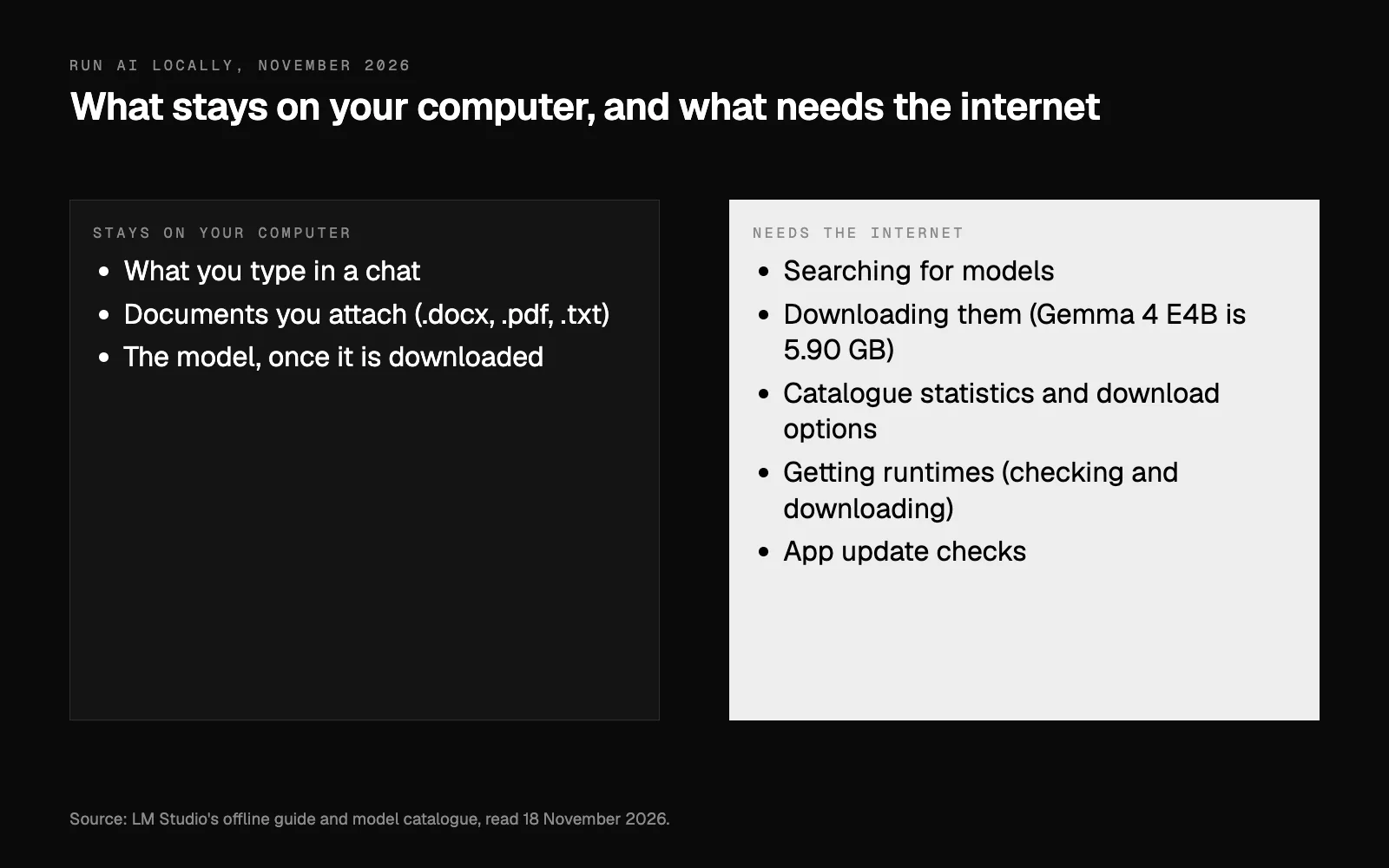
LM Studio's offline guide lists five things that do use the internet: searching for models, downloading them, showing each model's statistics and download options in its catalogue, checking for and downloading runtimes (the engines that run models), and checking for app updates. The private part is the work itself: what you type and what you attach.
Running it locally doesn't switch off privacy law. Australia's privacy regulator, the OAIC, says privacy obligations apply to any personal information put into an AI system. As best practice, it recommends that organisations don't put personal information, and particularly sensitive information, into publicly available generative AI tools. We read the first point as covering a model on your own computer too. Local keeps what you type on your machine, but you still decide what goes in and who sees what comes out.
What your computer needs
LM Studio's system requirements, as of 18 November 2026:
- A Mac with an Apple Silicon chip (LM Studio lists M1 to M4) and macOS 14.0 or newer. It recommends 16 GB of memory or more. On a Mac with 8 GB you may still be able to use it, with smaller models and modest context sizes (how much text the model works with at once).
- A Windows PC with an x64 processor that supports AVX2, or an ARM one (Snapdragon X Elite). It recommends at least 16 GB of memory, and a graphics card with at least 4 GB of its own memory.
- Room for the model. The one below is a 5.90 GB download in LM Studio's catalogue.
- The internet for the download. After that, the work itself needs none.
How to run AI locally, step by step
These steps use LM Studio, which has been free to use at home and at work since July 2025, and Gemma 4 E4B, a small open model from Google. Google describes its small Gemma 4 models as built for ultra-mobile, edge and browser use. Google's table estimates about 4.5 GB of GPU or TPU memory to load E4B in 4-bit, and says the numbers may change with the app and computer you use. Google also says memory use grows with the length of what you type and what the model writes back.
- Download LM Studio from lmstudio.ai and install it.
- Find the model. Open the Discover tab (⌘ + 2 on a Mac, Ctrl + 2 on Windows) and search for "gemma 4".
- Pick Gemma 4 E4B, in a 4-bit version. A model often comes in several copies, compressed to different sizes, and smaller files give up some quality. LM Studio's advice is to choose a 4-bit option or higher if your computer can run it.
- Load it. In the Chat tab, open the model loader and choose the model.
- Disconnect from the internet and ask it something. Switch off the Wi-Fi and unplug any network cable first. If it still answers with no connection at all, the answer can only be coming from your computer. This is the test we would do first, before anything private goes in.
- Attach a document. LM Studio takes .docx, .pdf and .txt files. Ask for a one-page summary, the three points that matter, or a draft reply.
- Check what it wrote against the document. Google's model card says its models are not knowledge bases and may generate incorrect or outdated statements.
The catch: long documents and old knowledge
Long documents. If a document fits in what the model can read at once, LM Studio adds the whole thing to the chat. If it is very long, LM Studio pulls out the parts that look relevant instead. That, it says, sometimes works really well and sometimes needs some tuning and experimentation. The way round it starts with LM Studio's own tips: put as much context as you can in your question, and use the words you expect to find in the part you need. We would go one step further and ask about one section at a time ("summarise the cancellation clause"), not the whole document at once.
Old knowledge. Google says the data it pre-trained Gemma 4 on has a cutoff date of January 2025. Offline, the model can't look anything up, so paste in anything newer it needs to know, like this year's rules.
Big, open jobs. Google says its models do well on tasks with clear prompts and instructions, and that open-ended or highly complex tasks might be challenging. Give it one plain job at a time.
What it's good for, and when not to bother
Google's model card lists email drafts, marketing copy and concise summaries of reports among the possible uses its makers considered. For a small business, we think the best first jobs are the ones where privacy is the point: a summary of a contract before you call your lawyer, a first draft of a staff policy, notes on a supplier's proposal.
We wouldn't bother if:
- Your computer is short of memory, or is an older Mac. On an 8 GB Mac, LM Studio says to stick to smaller models and modest context sizes. And it says Intel-based Macs are not supported at present.
- You want it inside your email, calendar or books. Set up as above, it sees only what you type or attach. Claude, by contrast, can be connected to Xero, MYOB, Gmail and Outlook.
- Privacy isn't what's holding you back. If most of your work is fine on a business account of ChatGPT or Claude, setting that up properly will do more for you this month.
Where to start
Try it this week on one document you know well, so you can tell whether the summary is right. If it does the job, you have a private AI for that kind of work. If it doesn't, all you have spent is some time and a download.
If your business has its own rules, like a no-cloud policy for certain records, our data page says how we work with them: tell us, and the system is built around your rules. To see where AI fits in your business, local or not, your free AI plan starts with eight questions.
Researched and drafted with AI, and checked line by line against its sources.
Questions people ask
Is an AI model on my own computer as good as ChatGPT or Claude?
Not for most jobs, we think. Google says that in its own Gemma 4 family, models with fewer parameters and lower precision are less capable but may be enough for your task, and that open-ended or highly complex tasks might be challenging. For a draft, or a summary of a document you attach, a small model is worth trying.
Does anything I type leave my computer?
LM Studio says nothing you enter when chatting leaves your device, and a document you drop in to chat with stays on your machine. It does use the internet for some things, among them searching for models, downloading them and checking for app updates.
Do I need a new computer to run AI locally?
Not if yours meets LM Studio's requirements. It runs on Macs with an Apple Silicon chip and macOS 14.0 or newer, and on Windows PCs with a processor it supports, and it recommends 16 GB of memory or more. On a Mac with 8 GB you may still be able to use it, with smaller models and modest context sizes. LM Studio says Intel-based Macs are not supported at present.
Can I use it for my business?
Yes. LM Studio has been free to use at home and at work since July 2025, and its terms allow personal and internal business use. Google says Gemma models permit responsible commercial use. And Australia's privacy regulator, the OAIC, says privacy obligations apply to any personal information put into an AI system.